The terminal built for network engineers.
Fast, dark and made for routers, switches and firewalls. Free to use with every feature. Upgrade to PRO once, €29 for life, no subscription.
Download freeFree vs PRO
Why DomiTerm
What you get that general-purpose terminals leave out.
Built around the console cable
Serial is a first-class citizen: a clearly marked console mode, Send break, ROMMON file transfer, and quick connect that starts with the connection type.
Talks to old gear
Many modern clients refuse devices that only offer legacy SSH algorithms. DomiTerm retries automatically with them enabled and tells you exactly what the device offered if it still fails.
Pay once, own it for life
PRO is a one-time purchase, not a subscription and not a yearly renewal. All updates for version 1.x are included.
A free version that is really usable
Every feature works in Free: SSH, Telnet, serial, SFTP, split view, MultiExec, tools. The only limits are 10 saved sessions and 10 ready-made macros.
Change many devices at once
MultiExec sends commands to every session you pick and gathers the output into one file. Split view keeps two devices side by side. No scripts to write.
Ready for network vendors
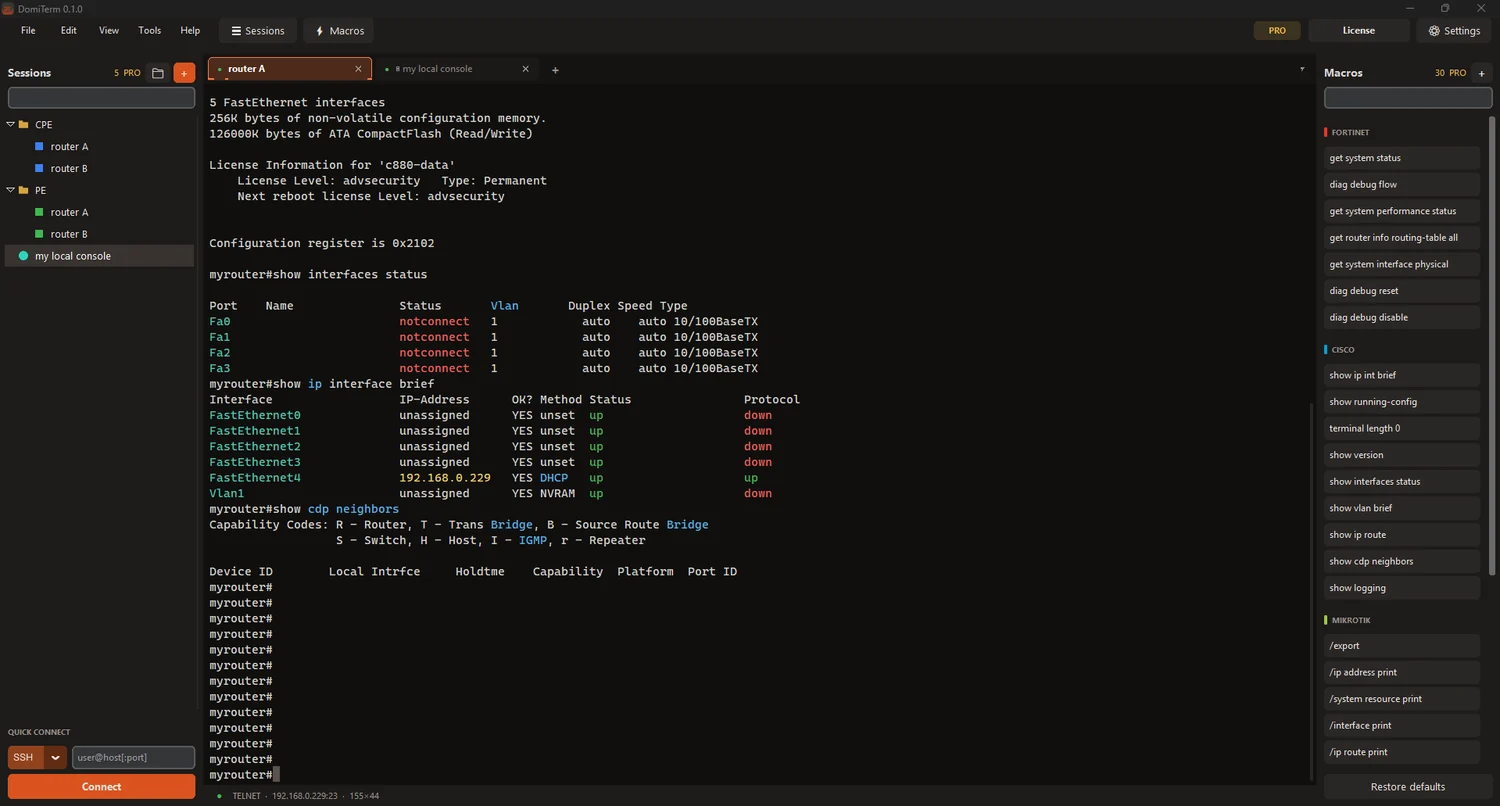
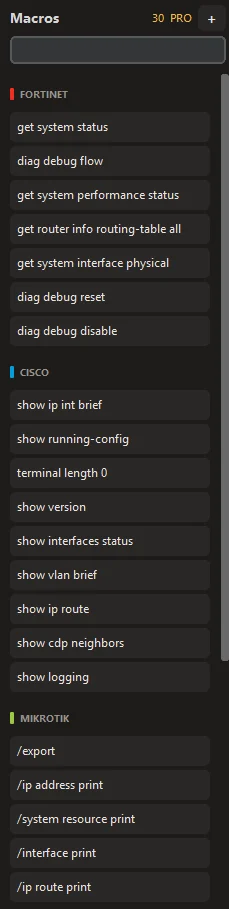
Ready-made macros and highlighting for Cisco, Fortinet and MikroTik, plus an IP calculator and MAC vendor lookup one click away.
Private and safe by design
Passwords live in Windows Credential Manager. No account, no cloud sync, no tracking. The only network calls are the licence check and a version check that sends just the version number.
Light, portable, quick to adopt
Installer or portable ZIP, no administrator rights needed. Import your existing sessions from other popular terminal clients and be working in minutes.
Features
Everything you reach for during a change window.
SSH, Telnet and serial
One client for routers, switches, servers and USB console cables. Jump hosts (ProxyJump), SSH tunnels and old devices with legacy SSH algorithms are supported.
Saved sessions
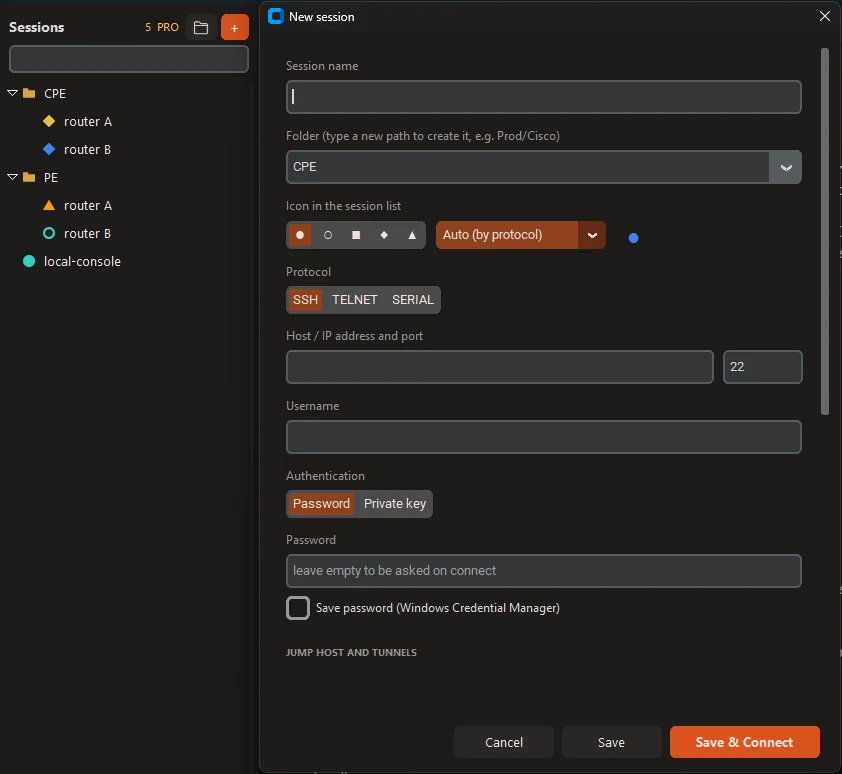
Organise devices in folders, search them instantly, drag and drop to reorder. Passwords are kept in Windows Credential Manager, never in plain files.
Quick connect
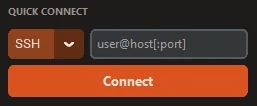
Pick the type first (SSH, Telnet or Serial), then type the host or choose the COM port and speed. Connect without saving anything.
Macros
30 ready-made command macros for Cisco, Fortinet, MikroTik and Linux. One click sends the command to the active session. PRO: write, rename and hide your own.
MultiExec
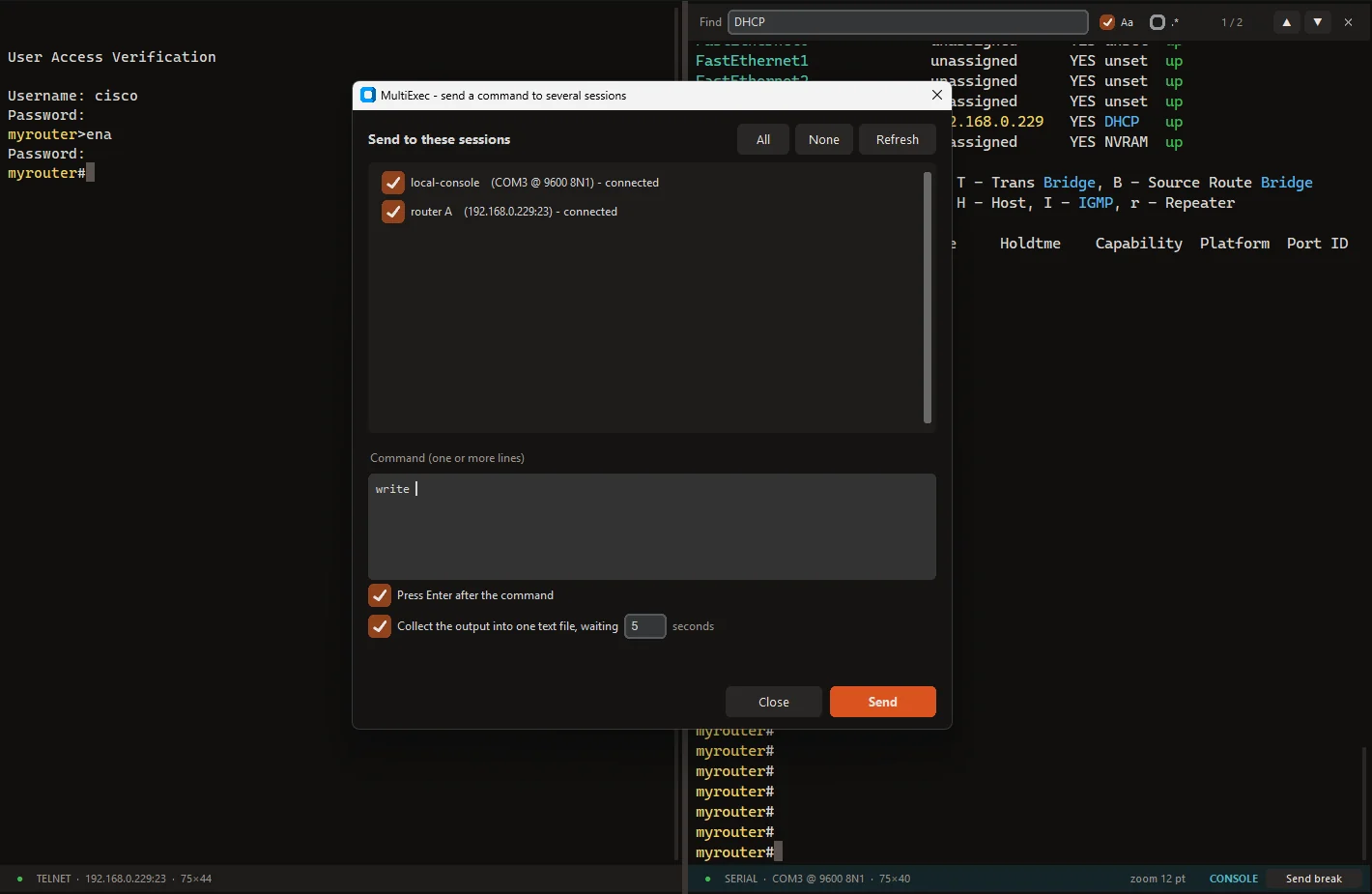
Send one command (or several lines) to many open sessions at once and collect all the output into a single text file. No scripting needed.
Split view
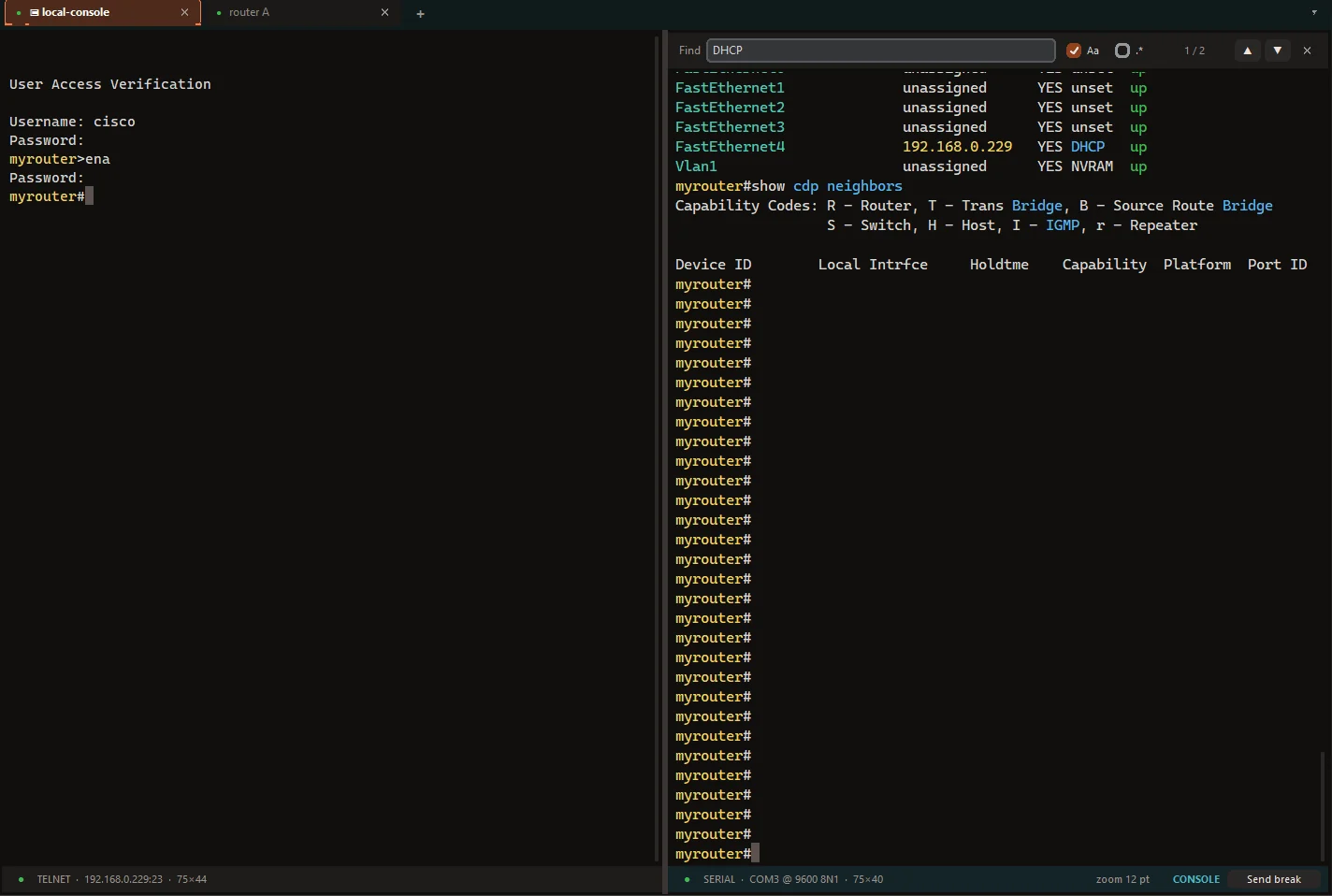
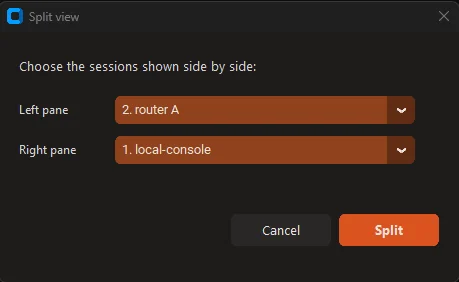
Put two sessions side by side, pick which ones, and swap sides. Compare a router and a switch, or watch a console while you work over SSH.
Console mode with Send break
Serial sessions get their own look: a cyan strip and tinted terminal, so you never mistake a console cable for an SSH session. One click sends a BREAK for ROMMON and password recovery.
SFTP file panel
Browse, upload, download, rename and delete next to your SSH terminal, with progress and cancel. It stays out of the way on devices without SFTP, such as Cisco routers.
Highlight editor
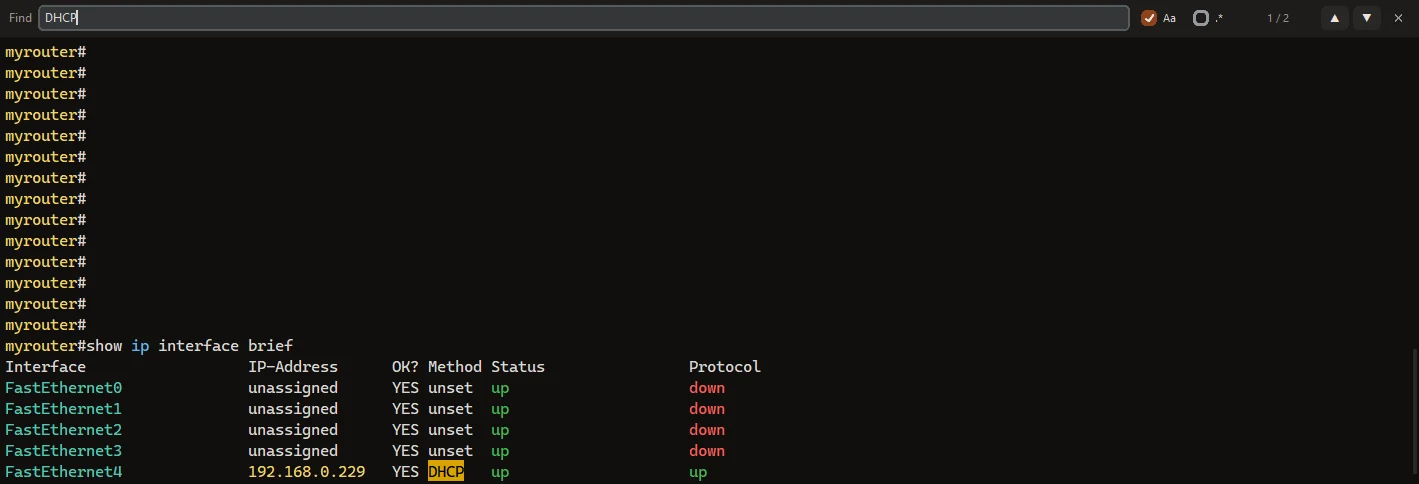
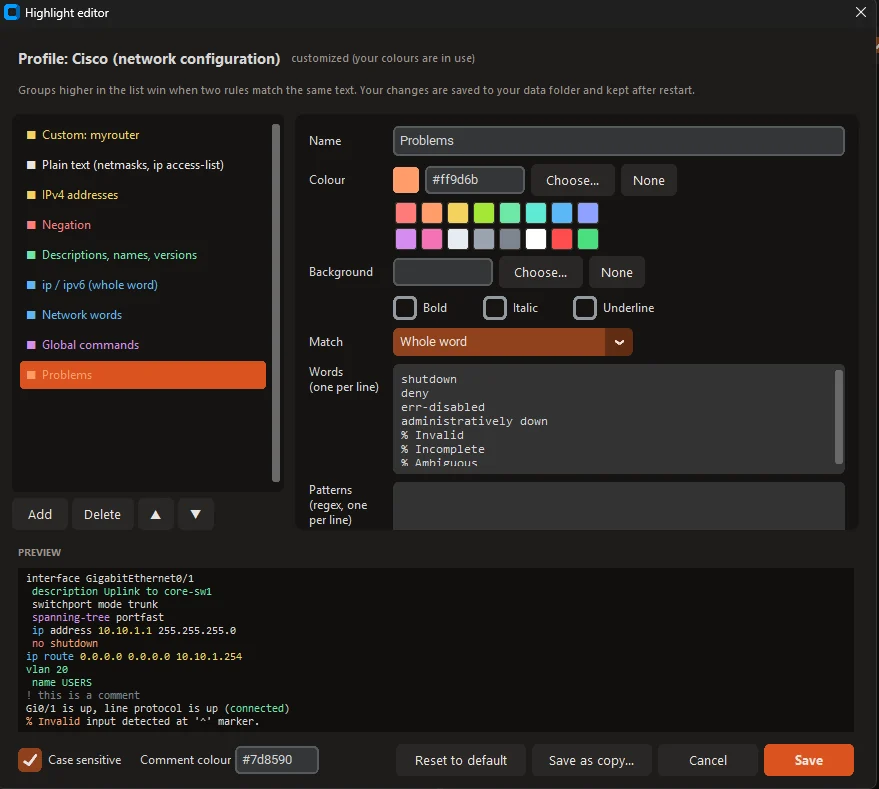
Edit the colour highlighting rules of your terminal, or import rules from other popular clients. Works well with Cisco, Fortinet and MikroTik output.
Export and import sessions
Move all your sessions to another computer or keep a backup: one file, folders and settings included. Passwords are never exported. You can also import sessions from other popular terminal clients.
Keep sessions alive
Stay logged in while you read or think. DomiTerm can send an invisible keepalive when you are idle, so routers do not log you out and NAT or firewalls do not drop the connection. It never fires at --More-- or confirmation prompts.
Find in terminal
Search the whole scrollback with match case and regular expressions, jump between matches.
Network tools built in
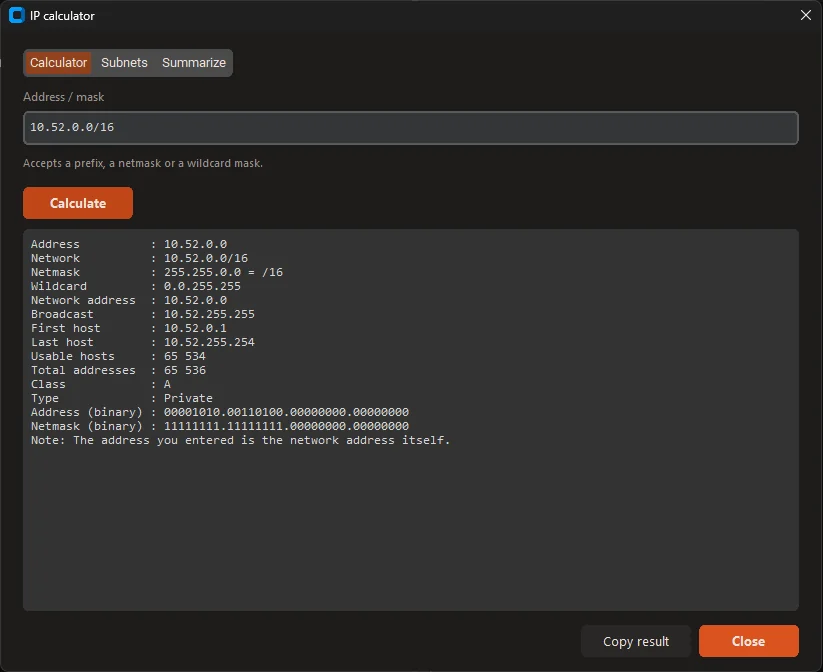
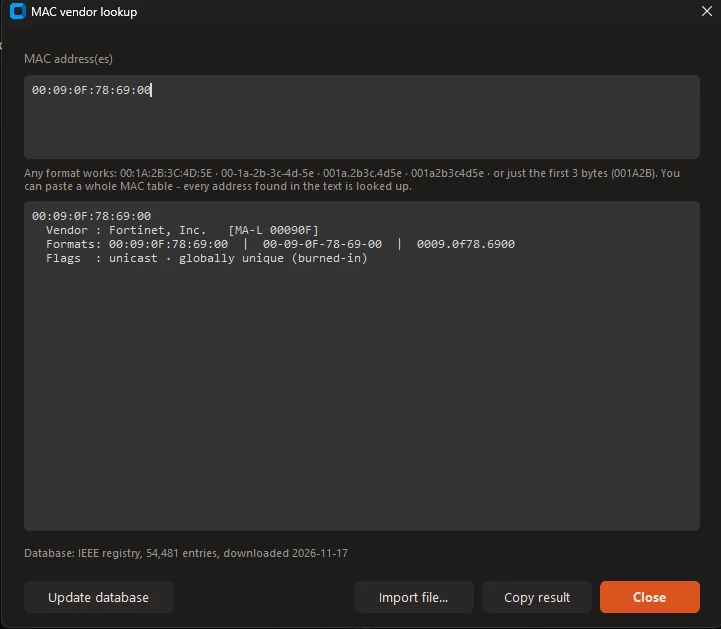
IP calculator (subnets, masks, ranges), MAC vendor lookup, session logging to file, XMODEM / YMODEM file transfer for ROMMON recovery.
Comfortable details
Double-click an IP address to select all of it (with /prefix). Zoom with Ctrl + mouse wheel. Right-click menu with copy, paste, find and clear terminal. Remappable keyboard shortcuts.
Screenshots
Click an image to see it in full size.
Free vs PRO
Start free. Buy PRO once, no subscription, yours for life.
| Free | PRO lifetime | |
|---|---|---|
| Connections | ||
| SSH, Telnet and serial | ✓ | ✓ |
| Jump hosts and SSH tunnels | ✓ | ✓ |
| Legacy SSH algorithm fallback | ✓ | ✓ |
| Productivity | ||
| Tabs, split view, find in terminal | ✓ | ✓ |
| MultiExec and output capture | ✓ | ✓ |
| SFTP panel | ✓ | ✓ |
| Highlight editor | ✓ | ✓ |
| IP calculator and MAC vendor lookup | ✓ | ✓ |
| Console mode and Send break | ✓ | ✓ |
| Limits | ||
| Saved sessions | Up to 10 | Unlimited |
| Ready-made macros | 10 | All 30 |
| Your own macros, edit and hide built-in ones | ✗ | ✓ |
| Licence | ||
| Price | €0 | €29 once |
| Duration | Free forever | Lifetime licence |
| Updates | All 1.x updates | All 1.x updates |
| Computers | Any | 1 (movable by deactivating) |
One-time payment, lifetime licence, all 1.x updates. Payments are handled by our payment provider Polar, who also e-mails your licence key. 30-day money-back guarantee, see the refund policy.
Questions
Is PRO really lifetime?
Yes. You pay once and the licence never expires. It includes all updates for version 1.x. A future major version 2 is not included.
What happens if I stay on Free?
Nothing is deleted. You can use your first 10 saved sessions and 10 macros, and everything else in the app works. The rest of your sessions are kept and unlock when you buy PRO.
Can I move PRO to another computer?
Yes. One licence works on one computer at a time. Deactivate it in the app and activate it on the new one.
Which devices does it connect to?
Anything that speaks SSH or Telnet, and anything with a serial or USB console port. Ready-made macros cover Cisco, Fortinet, MikroTik and Linux.
Do I need an account or the cloud?
No. Sessions and settings stay on your computer. Passwords are stored in Windows Credential Manager.
What if I am not happy?
There is a 30-day money-back guarantee, see the refund policy.
Download
Windows 10 / 11, 64-bit. Version 0.1.0. First public release.
Downloads will appear here with the first public release.